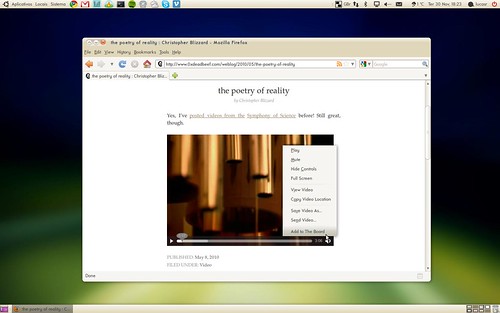
When I first introduced The Board, I generally described how I envisioned things being added to the pages—have a look at the “Add to The Board” and “Integration with other apps” sections in the intro post. I decided to spend some time implementing a few interesting ways of adding content to The Board so that the app concept gets a bit more clear in practical terms. Click on the image above to see a video demonstrating all features described here. Here’s the user story I have in mind:
Henry is a journalist who writes gadget reviews. He was assigned to write a review of this new Android phone. He needs to do a bit of research before starting to write. He activates The Board and creates a new page called “Android article”.
He opens the web browser to search for reviews, pages, images, and videos about the product. For each relevant page, image, video or piece of text he finds useful for his article, he simply right-clicks on them and adds them directly to The Board.
He also has a few local documents about competing products which might be a good source for his article. He opens some of those documents, copies the related pieces of text, activates The Board, and pastes them as notes.
He then remembers he had already downloaded some photos of the phone a few days ago. He opens Nautilus to access the folder containing the images, right-clicks on the images and adds them to The Board as well. He activates The Board again, presses ‘t’ to add a new note, a quickly writes down a few ideas on how the article can be structured.
Henry is now ready to start writing his article.
Browser. I’ve implemented extensions for Chrome and Firefox. The Chrome extension can only add links and text selections as I couldn’t find a good way to handle photo and video downloads—I hope to get this implemented soon. The Firefox extension is more complete and allows you add links, text selections, images, and videos (using HTML’s video tag, not flash) from the browser.
These extensions add a context menu item when right-clicking on the cited web content. In case of images and videos, they automatically download the file to a proper user directory before adding a respective element on The Board’s current page. The extensions communicate with The Board via HTTP. A notification is shown when content is successfully added.
One big missing feature is a toolbar button which intelligently adds the current page to The Board. This means that if you’re in, say, Google Maps, if you hit this toolbar button, it adds the map to The Board. If you hit this button while viewing a photo on Flickr, the photo itself is added to The Board. You got the idea.
File Manager. The Board’s integration with Nautilus is done through an extension. The extension adds a context menu item every time the files can be added to The Board. For now, it only allows adding images. Videos should be coming soon. A notification is also shown when content is successfully added from Nautilus. This was the first time I wrote code based on the new GDBus API. Pretty simple to use.
Clipboard. I added some initial code to handle paste command on The Board’s window. In practice, this means that if you copy text from somewhere, you can just use the usual Ctrl+V keyboard shortcut on The Board to paste it as a label or note. Still need to implement URI and image pasting.
Keyboard shortcuts. It should be simple and fast to add things to The Board while using it directly. The current keyboard shortcuts are ‘l’ for label, ‘t’ for note, ‘p’ for photo, and ‘v’ for video. When something is added to the current page, the new element is activated straight away and you can start typing even before it reaches its final position.
This is all very initial code. It’s definitely a bit buggy and missing features. But it’s in a dogfoodable state—for developers at least. In fact, I’ve been dogfooding The Board full time for a few weeks now. I added this temporary status icon that shows and hides The Board’s main window—you can see it in the video. Works well enough for daily usage.
I still haven’t decided how to integrate The Board with GNOME Shell yet. That means figuring out how the “activate The Board” part of the user story above would actually happen. I’ve been playing with some mockups but nothing solid came up so far. Ideas—especially from GNOME Shell guys—are welcome. Patches for all the missing stuff I mentioned above—or for anything else really—are more than welcome too.

Just want to say this looks really cool!
I can easily imagine being Henry. You describe a very desirable way to work.
@Ivanonymous, Great to know my user story matches your case :-)
How about using the board as the shell’s desktop (instead of nautilus). Switching to it could be simmilar to how in Win7 when you Win+Tab you can also choose the desktop. Similarly, in gnome-shell, when tou see all the choosable windows youll be able to select a ‘desktop’ window that will move you to the board…
@dbrodie, Using The Board as shell’s desktop has the advantage of always “being there” but it adds too much functionality and clutter to the background. Jeff Ecchi wrote some interesting notes on this topic. We need to find a way to make The Board very easily accessible without getting on the way when you’re not using it.
Great stuff!
Just one thing: I think the board should remember where the data came from.
For instance, when you copied and pasted from Wikipedia during your video above, it would be good if the board also created a little link saying “view original” on that same note. Clicking on the link would open Wikipedia on the page where you copied/pasted from.
Same for videos, photos, etc, with “view original” always opening the original URL of the document, be it a website, at file/folder, or what have you.
@tvst, Right. This is exactly what the link button does—the button with the “target” icon on the top-left corner. I should have demonstrated that on the video…
Also: Will the board the themable at all? I don’t mean just the board’s “desktop”, but also fonts and the way notes, photos, and videos look.
And will it be extensible? For example, if I am interested in building support for displaying parts of PDF documents directly on the board, is that doable?
@tvst, I’m planning to provide a few options in terms of fonts and style that can be applied on labels, notes, photos and videos. This is just not implemented yet.
As for extensibility, I haven’t implemented a full plugin system for The Board yet. I’m focusing on getting it to be useful with a few types of elements first. As soon as I get a better understanding of what ideas are working well for the users in terms of interaction, I’ll probably come up with some API to write new types of elements.
For the moment, if you’re interested in writing a new type of element, feel free to file a bug report to propose it. Thanks!
Sounds great!
Question: do you intend to allow having multiple boards at the same time? That way you could have different projects “simmering” at the same time. OTOH maybe having just one board would encourage users to concentrate on one task :-)
Maybe a solution would be to allow just a single board but add an “archiving” feature to easily switch between different board contents…
@oliver, The Board does allow you to create multiple pages inside the app instance. Have a look at this video to know how this is done. Maybe there should be a quick way—in the browser, file manager, etc—to choose which page the content should be added to.
Thanks for the replies, Lucas. I just have one more question, then I’ll leave you alone for a bit :)
Do you think it may be worth it to introduce the concept of “groups” in the Board? I know each page on the Board is itself a sort of group, but what about adding something like the groups in Mozilla’s TabCandy (now called Panorama)?
It seems to me that those would be very useful, but since I haven’t tried the Board yet it’s possible that groups just do not fit the the Board’s interaction model.
@tvst, Yes, I’m considering a stacking feature in The Board. Something like: you select a bunch of different elements in the page, and click “Stack” in toolbar. All selected items would pile up in a stack. You can then name the stack for future reference. Clicking on the stack expands its content in a nice way to show all items in the stack.
There are a bunch of unanswered design questions though. How do we make a pile of different things (labels, notes, photos, videos, …) look nice? How do you interact with the expanded stack?
Stacking might add complexity to the UI, something I definitely want to avoid. So this needs very nice design. It might be quite useful when dealing with pages packed with content.
@Lucas, I read that when it was posted and I also read the last paragraph :)
I agree that interaction with the board should be sperated, but it could be useful to have it as a sort of ‘active’ background.
At least, it might be a good idea to have a one-to-one correlation between a board ‘page’ and a workspace, I open a new workspace in gnome-shell, and in the board I organize my thoughts (as you described them) while in LibreOffice, GIMP, Inkspace, Firefox – I do the research and the article writing…
If you want to integrate with the Shell, you might add another “tab” next to Windows and Applications in the overview, rather than replacing the current desktop in the background. It’s already planned to have a Finding & Reminding tab, so why not an extension for The Board too?
@Milan, This is exactly what I’ve mocked up so far. But my impression is that shell’s overview is not meant to be used for heavy interaction. I need to discuss that in more detail with shell guys.
[...] the video below Lucas Rocha demonstrates how easy it is to ‘add’ content to The Board – from copy-and-paste text to URLS, images and even HTML5 video. Adding what you want is made easy [...]
I think that the best way to integrate might be to replace the classic desktop with the board, if you put a bit of a top margin on the board toolbar I think it would work really well and look really good
Other than that maybe use the message tray ? Although I can see that isn’t nearly as convenient as using the system trya in Ubuntu :-/
Your idea of integrating the board into the activies overview is also a really cool idea
This is really great work and I hear there may be an intial release soon – can’t wait to try it. I hope you don’t mind a few suggestions that came to mind?
I see you are using Ubuntu and with Natty moving to a Unity desktop, a nice way to integrate The Board in the Unity environment would be to have a button that could act similar to the “View Workspaces” whereby the board can be show and hidden instantly. It may even be possible to customise the right click on the launcher icon to bring up all the different boards the user has set up.
In current screenshots of GNOME Shell there appears to be options to display “Windows / Applications” in the Activities view. Perhaps an extra “Board” option could be added and The Board rendered here? (See http://files.digitizor.com/wp-content/uploads/2010/07/gnome-shell.png)
Hope these suggestions are of some use!
The Board seems to be a VERY interesting project. But, unfortunately, it cannot be build with Lucid Lynx because of Gnome Version 2.30 :(
Are there plans to support this “older” version of Gnome, too?
Or is it possible to build The Board with Lucid?
I already tried to install a new version of jhbuild manually (http://live.gnome.org/Jhbuild) into ~/, but with this version, not all needed modules can be compiled and therefore I cannot build The Board successfully.
I am really looking forward using your tool.
@Stefan, I created a script which automates most of the process of compiling The Board and its dependencies. Have a look at the Hacking page for instructions.